So this happened to me a few days ago, and I thought maybe sharing my experience could help someone if this happens to them in the future.
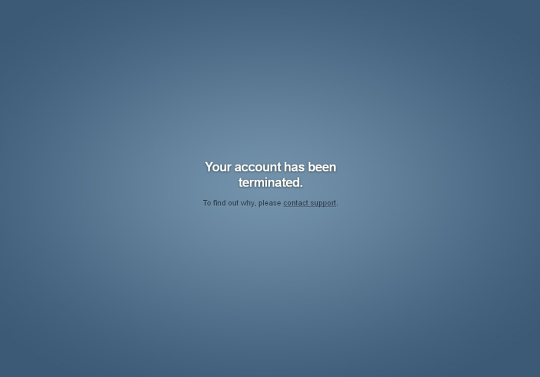
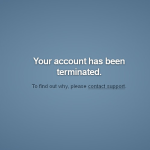
I was checking my Tumblr when suddenly I was logged out from it and given the usual Log In page. When I entered the details to access my blog, this appeared:
My heart skipped a bit. I tried to re-enter the details (maybe I got them wrong the first time), but no, the same message about Termination was shown. I typed my blog URL and got the
ominous
:
Same thing with my sideblogs.
So obviously I was very worried. I contacted the Tumblr support but didn’t get an answer for 48 hours, only an automated reply. I already started mentally saying goodbye to my blogs, my posts and all my followers, when finally I recieved their answer:
(In case you can’t see the picture, it says:
Hello, We’ve restored your account. Thank you for bringing this problem to our attention. We’re sorry that it occurred, and we’ll do our best to make sure that it doesn’t happen again. You should now be able to log in just fine with your email address and password. Please let me know if there’s anything else I can help you with.
My blog was restored and working normally. All my sideblogs were intact , and so were my posts and my followers. The only thing that was lost, is all the conversations by Messages. The people with whom you talked are still there, but all the history of the conversation is gone.
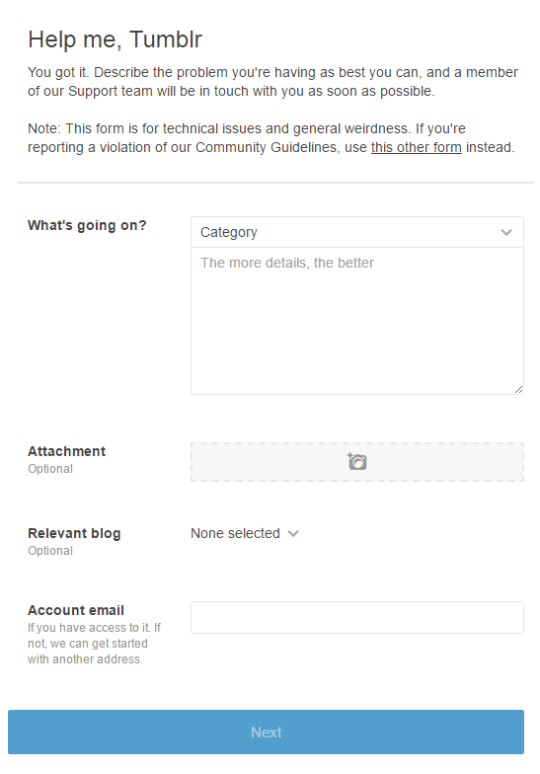
Alright so here is what you should do if this happens to you. Don’t panick like I did Click on the “contact support” link provided in the terminated window. Alternatively, go on Tumblr.com/support.
Politely explain your situation – give your blog URL, your mail, tell what happened exactly. I understand that the situation can be upsetting, but the person who will read the message and try to help you isn’t directly responsible for the termination of your blog. And sending an angry message with insults isn’t the best way to get your blog back either.
Wait for the reply of the team. If you feel like it takes too much time (more than few days for example), try to fill the Help/Support form again.
Once the team is in contact with you, keep the polite tone. Normally if your blog didn’t go againt the Tumblr rules and policies, you should getit back like I did.
Voila 🙂
Guys this is important. 2 of my followers and rp partners got their accounts terminated today so be careful
Be wary of anyone who talks about “the real world.” Your world is real. Your experiences are real. And the phrase “the real world” tends to be bandied about by people who want you to imagine that everyone is as cruel as them, you’re just too sheltered to know it.
No matter how many adult responsibilities you have, it is not impossible to find compassionate people.
Tumblr was deemed too full of inappropriate content to be allowed to be downloaded from the app store.
It has this “inappropriate” problem because of rampant porn ad bot accounts. The old solutions were bots to detect image sets with nsfw content, the automatically enabled safe mode, tag filtering for mobile, and wide takedowns of nsfw bots based on words used (that’s why their messages are full of numbers and symbols, to evade this)
Tumblr released their own bot supposedly capable of wiping the ad bots, but it’s taking down many popular blogs, possibly due to sheer amounts of posting or sheer amounts of ad bots in their notes. This bot was likely rushed to be put out.
You are more likely to be accidentally flagged if you post external links, as well. If your acct is taken down you CAN get it back, but it’s a pain. E-mail tumblr support for help with this. It takes down side blogs with the main ones.
I’ll be halting posts for about a week or until this problem is fixed.
tips for surviving this mess (artists ESPECIALLY) :
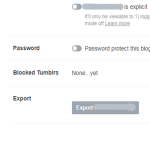
Export your blog content. If you can reach the site through its desktop version, click the person icon from your dash, click the name of a blog you have you want to export, select “Edit Appearance”. Scroll down and click “export (blog name)”. You will receive a .zip file. If anything ridiculous happens and you aren’t able to secure your account again, you at least should have your image files in one place. You will find in this folder the following (copied from the support article provided by tumblr staff themselves) :
A Posts folder, with an HTML file for each post.
A Media folder, with the media from your posts, plus any media you’ve uploaded (like in messaging). These files will be in the format you uploaded them in (JPG, GIF, PNG, MP4, and so on).
A representation of your blog’s messaging conversations, in XML format.
A representation of your blog’s posts, also in XML format.
If your blog truly is NSFW, or has a significant portion of NSFW content, flag it properly. You can do this from the same page as the Export function ; read the above to do reach this page.
Stop your queue from posting while things are wild. You’ll be drowned out by users helping each other with this glitchfest, and that’s if your post isn’t hidden from users due to links. Use the edit post function to move queued posts into your drafts, and reverse this process when you’re ready to put them back. This is important for art bloggers especially.
If your blog is flagged and taken down, you can e-mail staff or reach them from their contact links.www tumblr com /support – replacing spaces with dots. Several tumblr users who have gone through the process will know better than I do on this particular matter.
Keep an eye on your side blogs. It seems some takedowns are bringing side blogs down with them. There isn’t a great amount of information on the whys or hows – most likely, if a side blog has only one admin and the admin is taken down, the side blog will be taken down with it, but again, these are restorable. Make sure to include the name of any sideblogs you have that may be affected if you have to send a ticket in to staff, it will make your request go through faster.
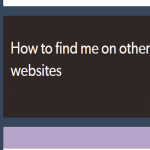
If you have important information to impart to your followers but it involves links, do your best to avoid using links themselves. Use work-arounds like the one above, create a custom page on your own blog with links on it, or simply phrase it carefully, such as, “you can find me on DeviantArt with the username ____!”
Are you an artist with active commissions? Let your clients know. Send them a message letting them know that you may be unavailable if Tumblr makes your account glitch out. Explain that it will be temporary, but if they need anything, they can reach you through e-mail or on another website. If you don’t have off-site options, tell them you may be down temporarily, but will be back as soon as possible.